Options
New "Web File" picture format makes it impossible to save images
 BillJones
Posts: 35,991 ✭✭✭✭✭
BillJones
Posts: 35,991 ✭✭✭✭✭
In the past I had been able to save images from this site which used to come down in the "jpg" format. For past few years I have been building a file of counterfeit coin images for my own education and for use in presentations to clubs. Now the pictures are in a "WEB" format and I can't save and edit them.
I know that nothing can be done to change this, but does any have know how to handle the "WEB" format so that it can be used with other software?
Retired dealer and avid collector of U.S. type coins, 19th century presidential campaign medalets and selected medals. In recent years I have been working on a set of British coins - at least one coin from each king or queen who issued pieces that are collectible. I am also collecting at least one coin for each Roman emperor from Julius Caesar to ... ?
0
Comments
Web format?
Doesn't it try to save as a .png file? That's what CU's server stores them as.
png is a pretty standard graphics file these days...
Get a photo-editing software program that allows you to do a "screen capture" where everything on the screen (except the photo-editing software) is made into a "jpeg" or "tif" image and automatically loaded into the photo-editing program.
I assume a program like "Photo-Shop" can do it. I use a program called "Paint Shop Pro" and it can do screen captures.
Windows 10 also has a tool built in to do that. If you search the start menu in Windows for "Snipping Tool" you'll see it pop up. Just select "New" to screen grab a section. It gives you the option to screen grab using a free-form tool, rectangle selection tool, window selection, or full screen. I typically just use the rectangle selection tool anywhere on the screen to do a screen grab of just that area.
Alt-PrintScr will capture a full screen image (as shown on your monitor). It is held in the "Copy" RAM and can be saved by opening Photoshop or any other imaging software and using the "Paste" function. The save in the ordinary way. This is ONLY a screen resolution image and not equivalent to a downloaded full resolution image.
I saved a couple images last night, when did you notice the change.
A couple of days ago. It may have been during the FUN show because I was not at my desk top.
Still works the same for me. Post a picture and I will try to save it.
Ken
It might have something to do with the fact that Microsoft Explorer won't let me on this site. I have had to use Google Chrome to get here.
Worked fine Bill. Here it is from my computer. I am not real computer savvy but I believe I am on Microsoft.
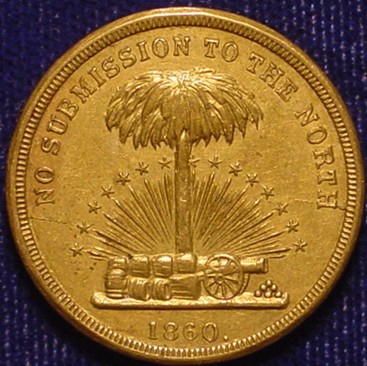
.
Ken
Easy peasy, but I got a Mac ....