Options
Problem with images on ebay after auction closes...
 mr1931S
Posts: 7,324 ✭✭✭✭✭
mr1931S
Posts: 7,324 ✭✭✭✭✭
Braddick in another thread about grading 1922 Lincoln cent:
Here's where I purchased it (don't you just love the seller's photos?) See link to ebay provided by Braddick.
As an occasional seller on ebay, I'm having a similar problem with ebay images. It seems images look fine while auction is running but at some point after auction closes the images horribly degrade in a fashion that we are seeing in the link for this 1922 cent.
Ebay tells me that an " internet accelerator" program, which ostensibly allows faster page/image loading, might be the reason for this. However, as I explained to ebay, I am not and have not, at least knowingly, used such an accelerator program. They also tell me that if I use a photo editor external to their own, which I do, ebay's own resizing through their picture services results in doubly compressed images that can result in poor image quality. According to them, images for my auctions that have closed still look fine to them there at ebay. They have told me to "rest assured" that my images are still "truly lovely." I suggested to them that the problem is at their end.
So, how can images look fine to a seller while auction is running and then look like crap a few days after auction has closed? Is there anyone here who knows the real deal? I might load my image of 1911 D lincoln to this thread to test the "internet accelerator" theory. It seems to me that an accelerator wouldn't know the difference between ebay or this site.
Here's where I purchased it (don't you just love the seller's photos?) See link to ebay provided by Braddick.
As an occasional seller on ebay, I'm having a similar problem with ebay images. It seems images look fine while auction is running but at some point after auction closes the images horribly degrade in a fashion that we are seeing in the link for this 1922 cent.
Ebay tells me that an " internet accelerator" program, which ostensibly allows faster page/image loading, might be the reason for this. However, as I explained to ebay, I am not and have not, at least knowingly, used such an accelerator program. They also tell me that if I use a photo editor external to their own, which I do, ebay's own resizing through their picture services results in doubly compressed images that can result in poor image quality. According to them, images for my auctions that have closed still look fine to them there at ebay. They have told me to "rest assured" that my images are still "truly lovely." I suggested to them that the problem is at their end.
So, how can images look fine to a seller while auction is running and then look like crap a few days after auction has closed? Is there anyone here who knows the real deal? I might load my image of 1911 D lincoln to this thread to test the "internet accelerator" theory. It seems to me that an accelerator wouldn't know the difference between ebay or this site.
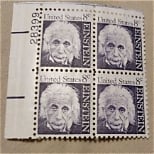
0
Comments
Apparently, an "internet accelerator" has found its way into my computer without my asking for it.
Ebay picture services contact person must be correct.
Now, I just need to figure out how to disable the culprit.
Other than perhaps being a little dark, your 1911 D looks fine to me.
Paul
A program downloads only part of the image, giving less quality, but loading faster. Somewhere, there's a setting for that program that shuts off the feature, and the image downloads fully. Alternatively, if you right click on the image, you might find an option to show original or full-quality image. That said, the images you show don't look too bad to me--they don't look like an image that was greatly reduced in quality.
What browser are you running, and have you run an ad/spyware check recently?
If this kind of thing happens to anyone else using MSN9 just click on the connection center icon and change your setting to "normal" if you want to see images at their best. AND, be sure to delete temporary internet files (delete cookies too, methinks; i did both) if you want to see "normal" images on pages you once viewed that appeared crummy to you.