Macro Photography Feedback: 2021 Morgan & Peace Dollars
 P0CKETCHANGE
Posts: 3,935 ✭✭✭✭✭
I recently began experimenting with coin macro photography. I read some old (and very good) threads here, picked up Mark Goodman's book, and asked Claude for advice. I think I've got a decent start, but there is room for improvement.
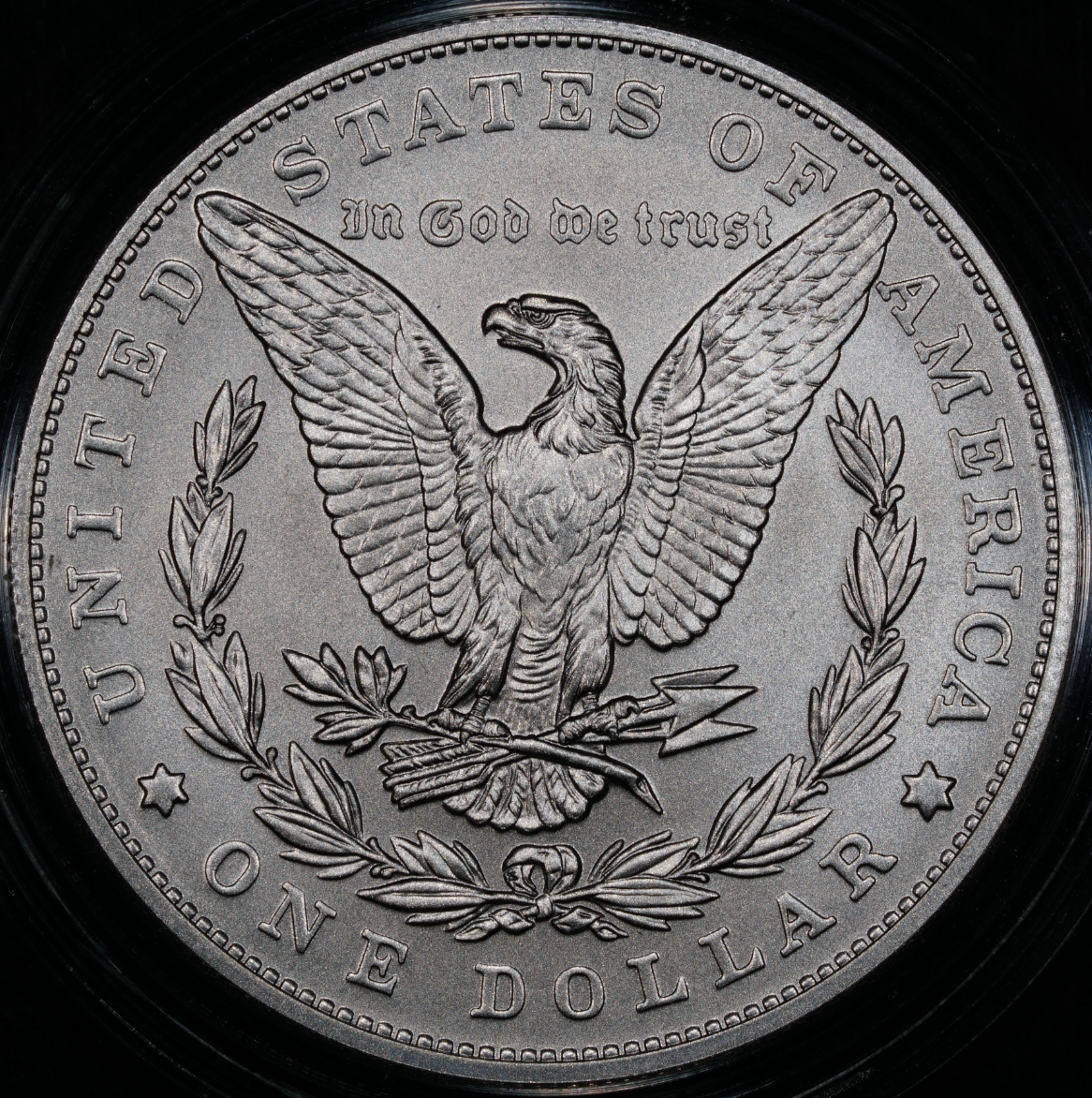
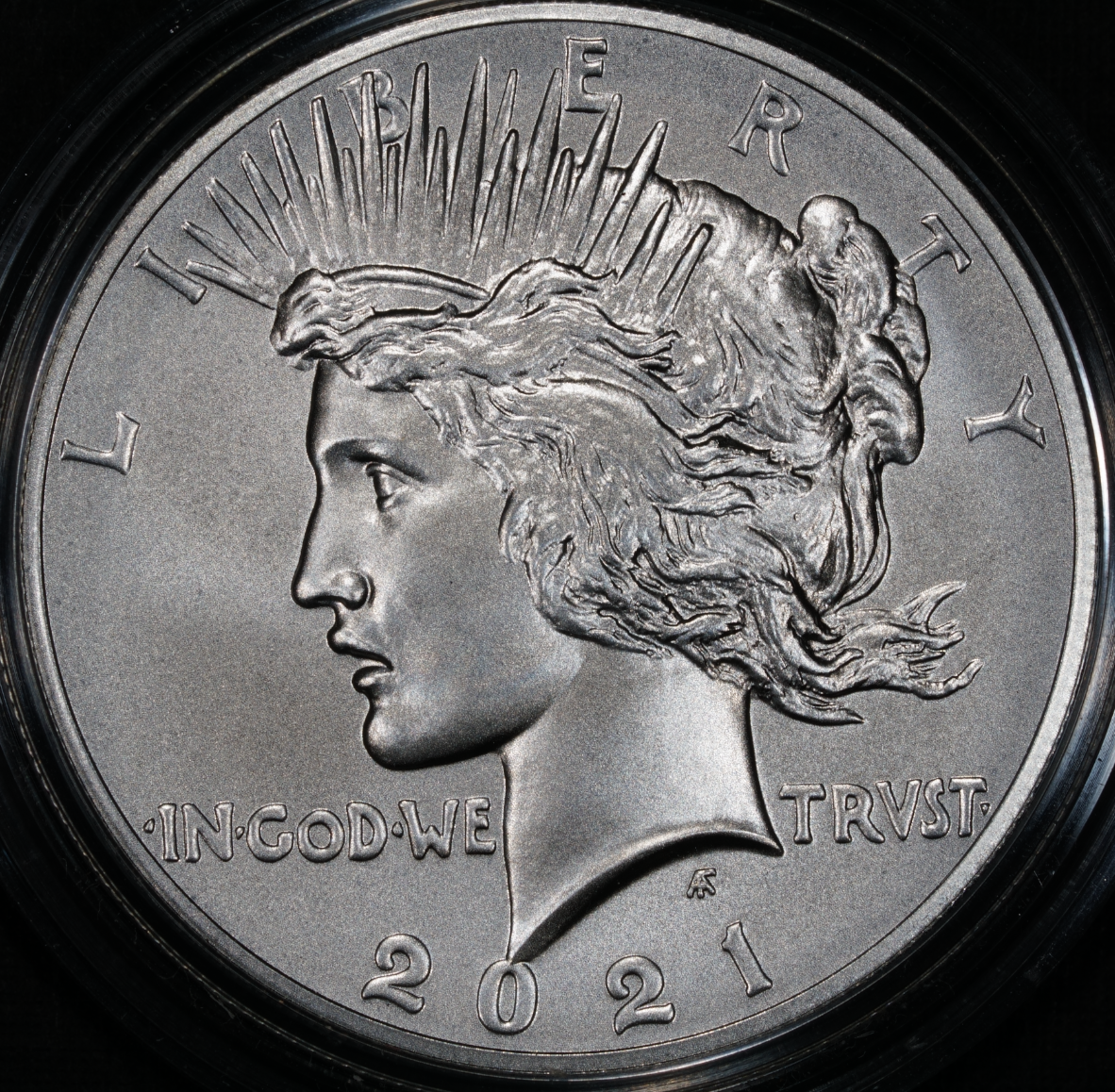
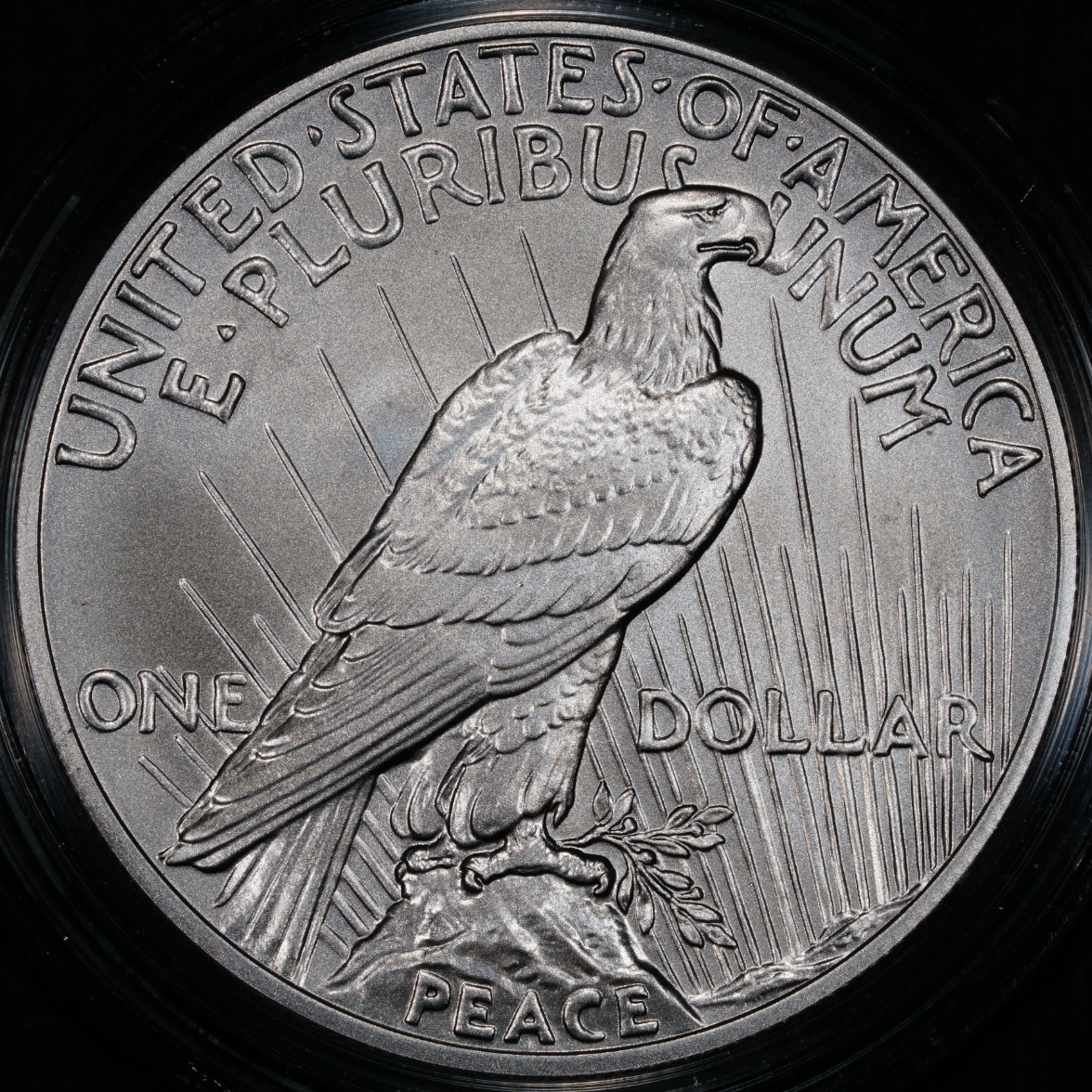
Below are photos of a modern Morgan and Peace dollar. They were the biggest, neutral-looking silver coins I had laying around, so they seemed like a good place to start. I shot them through the plastic mint capsules, not completely raw.
I'm interested in feedback from folks with a more experienced photographic eye. Sharpness looks good (forum software seems to compress/blur the images a bit), but feeling uncertain about the lighting, contrast and composition.
I'm using a custom white balance with grey card, three LED flex-neck lights (positioned roughly at 9, 12, and 3), manual focus, f-stops of between 8 and 13, exposure of -0.3. Shooting in RAW, but have made no or minimal edits on these.
Thank you for any corrections, suggestions, tips, advice, etc. 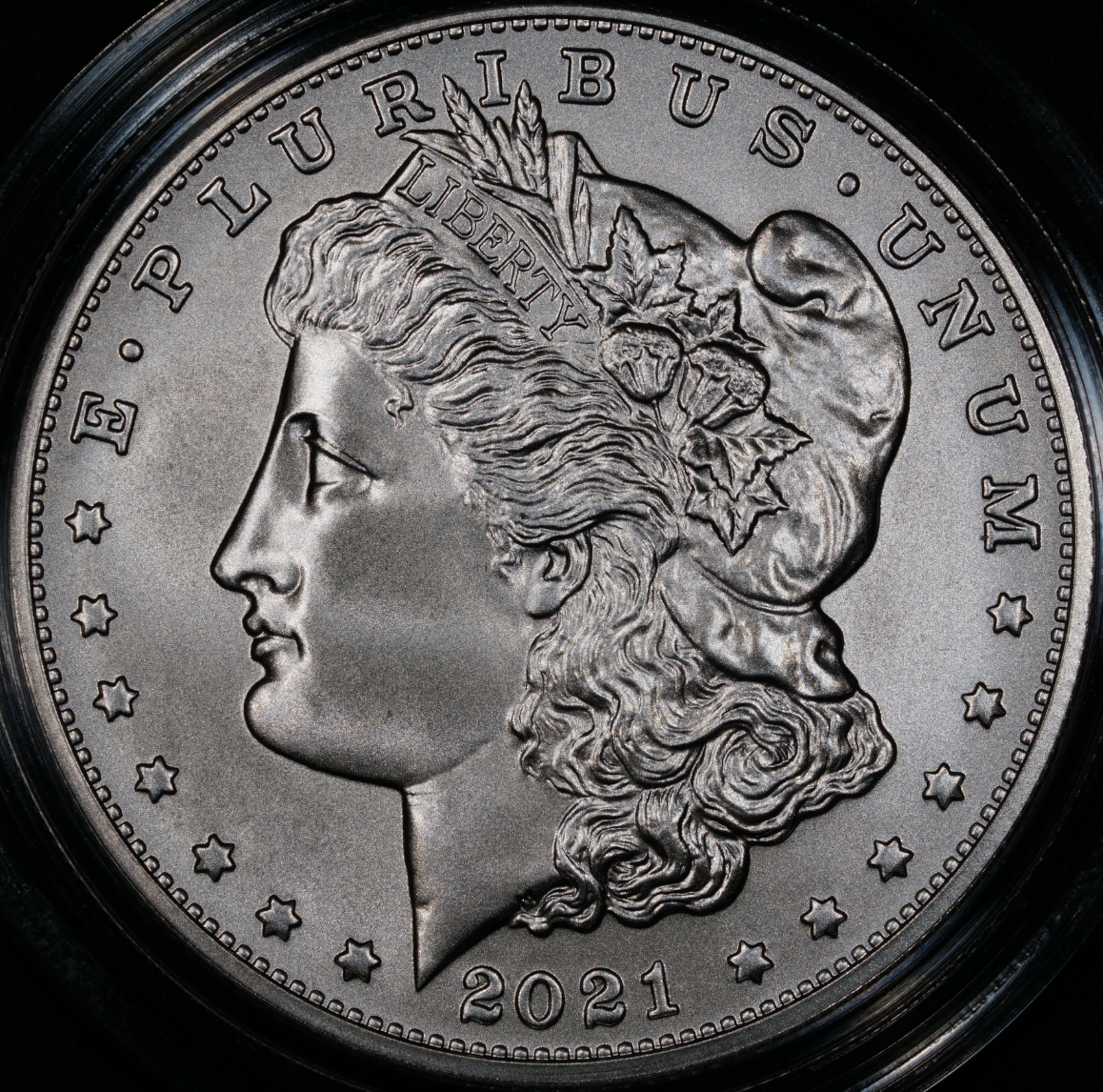
Superb collections are built more by omission than by addition.
Comments
Short answer: They look fine.
Long-winded, nit-picky answer: Sharpness is good, so I won't comment further. The lower parts of the coins are darker than the rest. Don't be a slave to a fixed light position. Be prepared to move them around to get the look you want. Luster on these coins is kind of dead, so you won't see the effect of doing that as much as you will on a vintage Morgan or Peace dollar. The Morgan pictures look a little dark. These can probably be lightened up in post-processing. When capturing your raw images, make sure you don't have saturation issues. Look at the histogram of the image and verify that it's not clipped at either the high or low end. This clipping represents a loss of highlight or shadow detail, respectively, that cannot be recovered in post. While automatic exposure with -0.3 EV looks like it's keeping you safe from saturating highlights on this coin, it might not on others. For this reason, I always just use manual exposure. A histogram that is centered and not clipped will indicate an image that is very tolerant to post-processing exposure adjustment. Regarding post-processing exposure adjustment, don't let anyone tell you that you don't know what you're doing if you rely on that rather than getting the exposure "right" in the camera. Such an assertion is a great indicator of someone who doesn't know what they're talking about. The extended bit depth you have in raw mode, even if it's only 10 bits per channel, gives you the opportunity to fix exposure interactively and more quickly than you can do it in camera. You'll even be able to do it locally, such as in the lower part of the Morgan images, to even out the exposure. Photographers have been doing this in darkrooms for over 100 years to turn a negative that "they couldn't get right in the camera" into the masterpiece they visualized.
Keeper of the VAM Catalog • Professional Coin Imaging • Prime Number Set • World Coins in Early America • British Trade Dollars • Variety Attribution
@messydesk thank you for the specific and clear advice. I didn’t notice that the bottoms were darker…that must be because of my lights positioned at 9, 12 and 3. I will experiment with moving them around.
I haven’t figured out how to read and analyze the histogram yet, but I’ll add that to the learning list. I don’t have much photography experience previously so it’s a foreign concept.
I agree with you on the usefulness of post-processing, although I haven’t figured that part out yet either. I think trying to get it closer to “correct” with the camera first is helping me learn the settings.
Superb collections are built more by omission than by addition.
I searched "understanding histogram in photography" and more than a few videos popped up. 10 minutes' worth of watching one or more of these should give you a good working understanding.
Of course, and understanding the histogram will help with those settings. Once you get it, you'll wonder how you got by without it.
Keeper of the VAM Catalog • Professional Coin Imaging • Prime Number Set • World Coins in Early America • British Trade Dollars • Variety Attribution
You added some specs but you omitted what camera and lens you are using.
It’s a Sony a6000 mirrorless camera with a Sony FE 90mm F2.8 Macro G OSS lens.
Superb collections are built more by omission than by addition.
Photo is very clear but agree appears dark. I went looking through my photos as I took a quick picture when I received mine 5 years ago. No editing just straight on photo at my desk. Also dark, grey looking, guess tough coins to capture any luster.
You photos are an excellent beginning and messydesk's suggestions are on the mark. It's unfortunate that the Mint is producing fuzzy imitations of the originals when they have the ability to accurately duplicate the highest quality original coins.They have great technology combined with timid application of it. (Just a silver 3-cent's worth.)
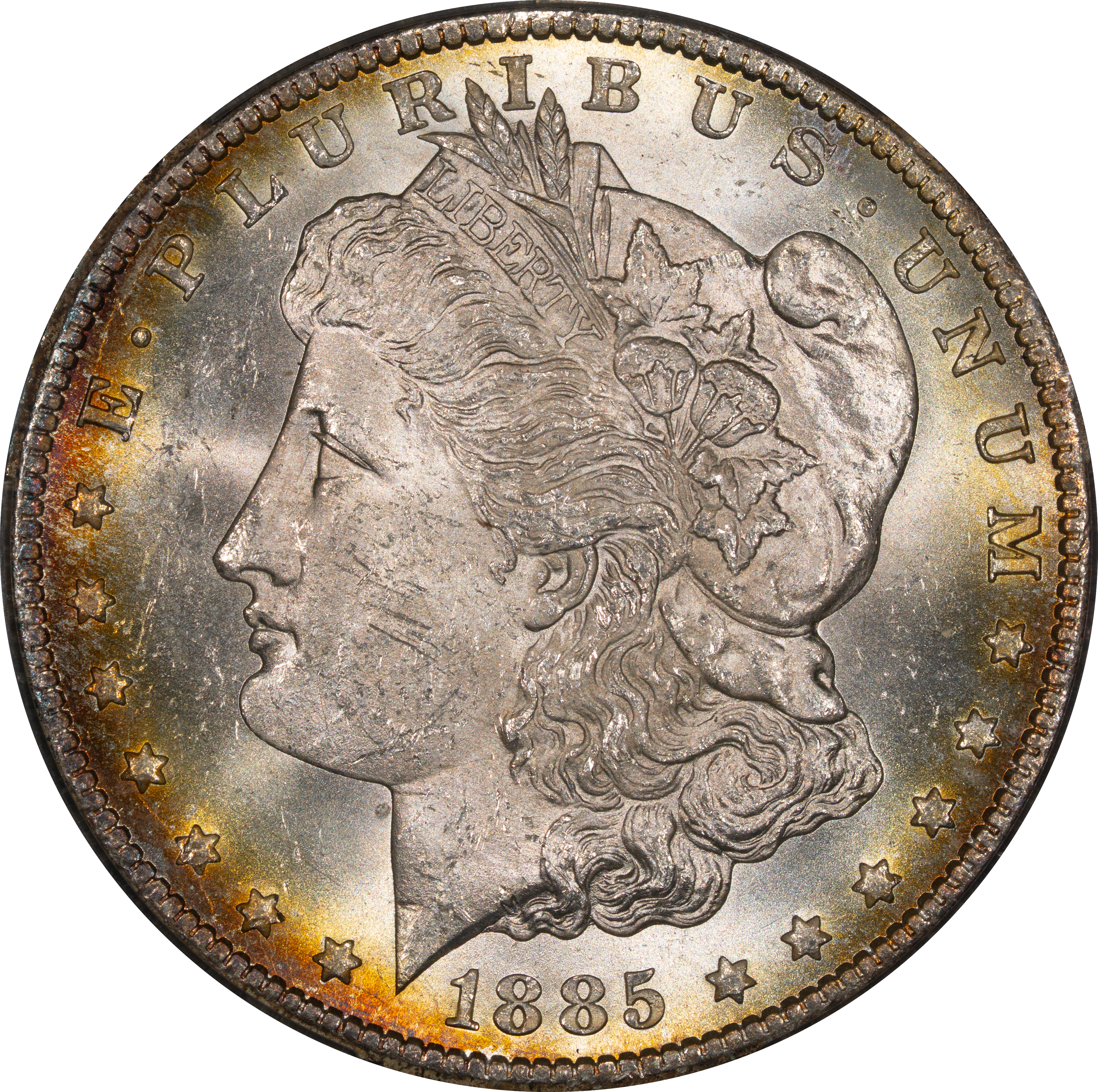
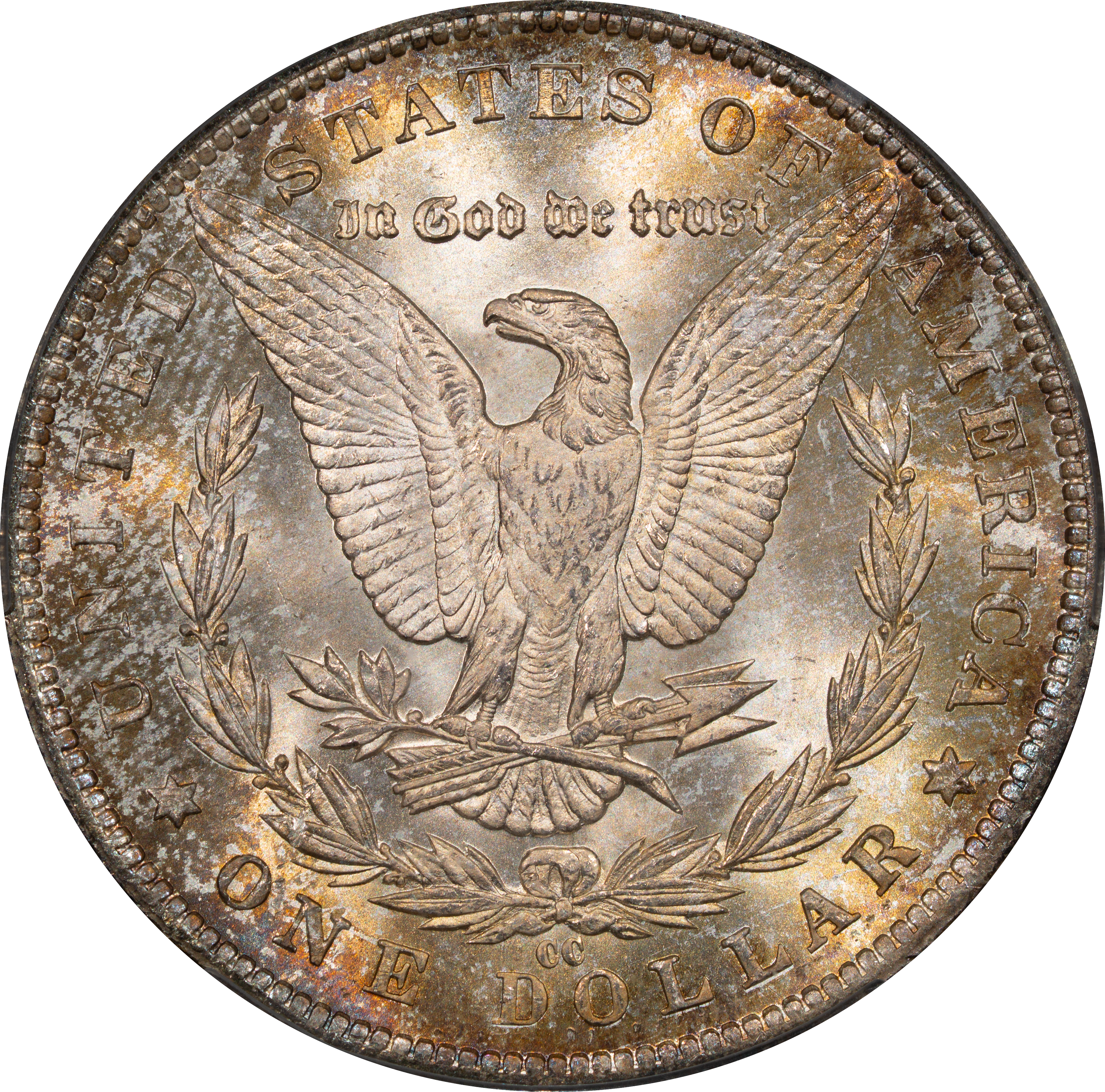
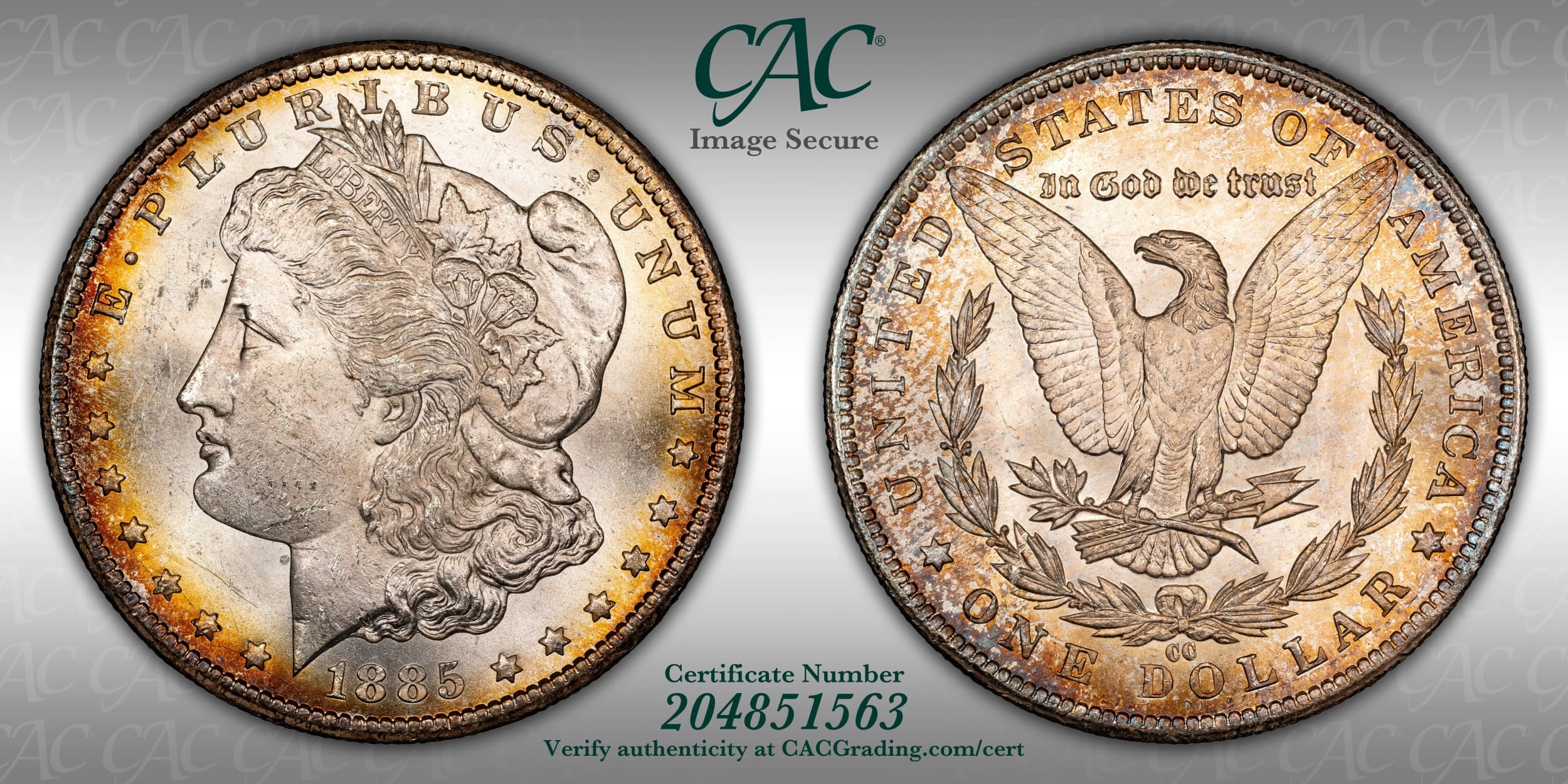
Ok, I went and got a "real" Morgan...the 2021 was very flat as others said.
I made a few edits to the levels to make the coin look as close to what I'm seeing in hand as possible. It looks like a very honest representation. I included CACG's shot below for comparison.
I think it came out quite well for a first attempt!
Superb collections are built more by omission than by addition.
Not bad at all! Play around with your lighting a bit and try to make those shadows less concentrated. Bump up the saturation a tad as well, given the CACG images are accurate.
Coin Photography
The detail in your photos is excellent but, as others have said, they are too dark. I don't think lighting is a problem, but the white balance should be adjusted. The modern Morgan and Peace dollars have more of a matte surface, for which I had to use slightly different settings than for the more brilliant original versions. Here are photos I took where the color is better, but the lighting can be improved upon.