How to get the best from a posted photo
 RogerB
Posts: 8,852 ✭✭✭✭✭
RogerB
Posts: 8,852 ✭✭✭✭✭
As a brief follow on to Aspie_Rocco's "How to EDIT posts and threads, a photo explanation" thread, here's a photo suggestion.
- The maximum display size on the PCGS message boards is 700 pixels wide; the height is indeterminate but over 1,000 pixels could result in needless scrolling.
- The number of pixels is the only determinate for image size for display -- even if your photo is 2 meters wide and 50,000 pixels, it will still display at 700 pixels.
- If you post an image wider than 700 pixels, the file will load the PCGS' software but the displayed image will not be any sharper or more detailed than one of 700 pixels.
- Ergo, if you want images that load quickly to the screen, keep them 700 pixels or less in width.
- Last - if you want people to be able to download a high resolution image, it is better to use a link. That will save PCGS' data space and ensure a high quality image is received.
5
Comments
Any suggestions on how to load images and links using an iPhone? (I have no problem using an iMac, but seem limited on the iPhone.)
Sorry, can't help there. (I'm still using a tin can and string...)
If you are referencing posting images to CU from an iPhone then the problem is that the image in the iPhone pic library is not in a format acceptable by CU forum software.
The work around:
Copy pic from the iPhone library.
Paste pic into a text message. Do not send. This will convert the image into jpg format.
Copy the pic from the text message.
Now you can paste directly into a CU post.
Go back and delete the pending text message.
Or download a pic app from Apple Store.
YMMV
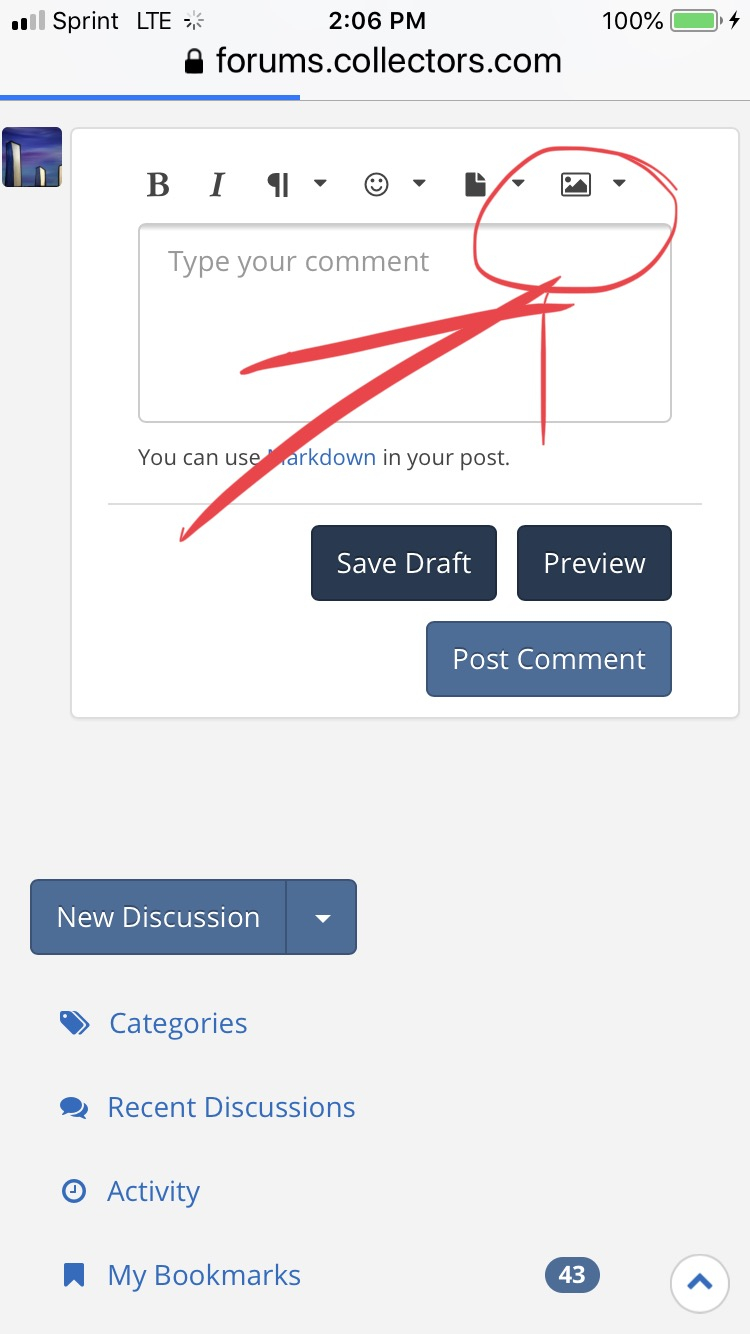
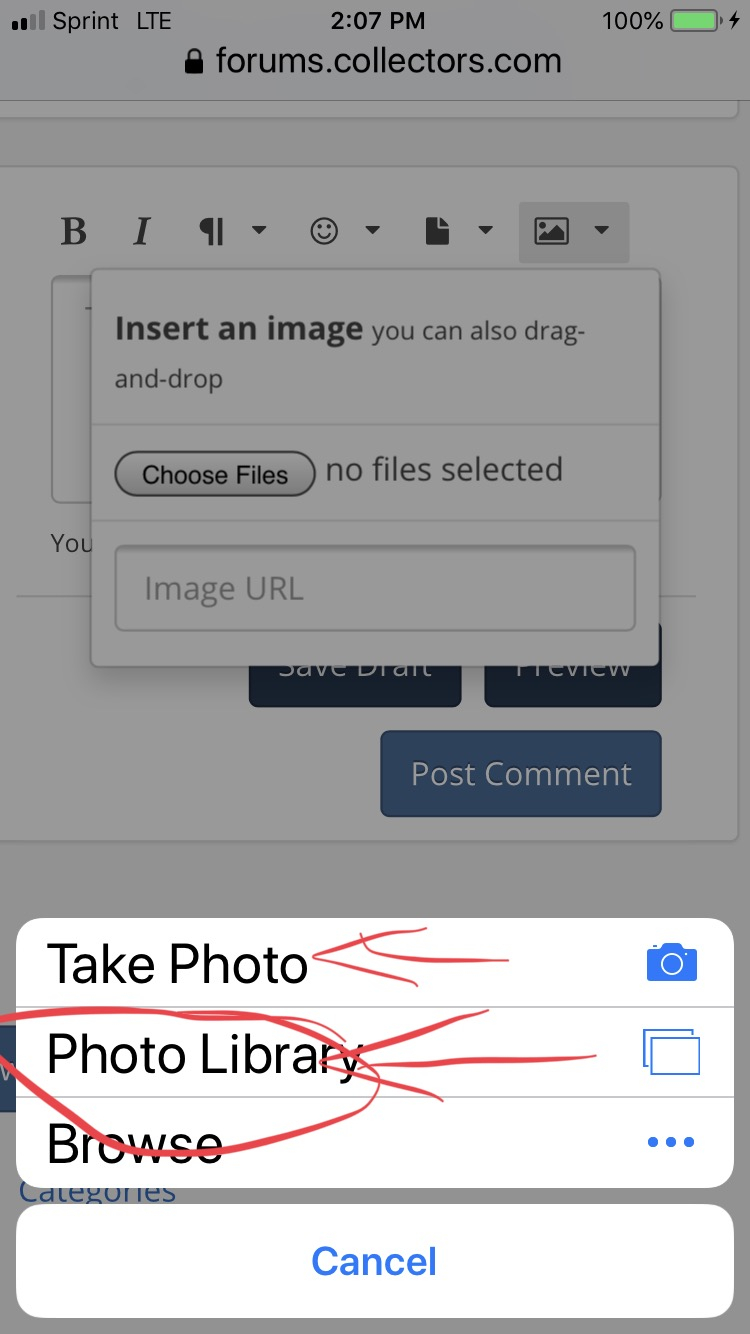
Click the mountain in upper right about reply box, then upload file, then pick a pic from your library, link, or take a New one.


https://www.autismforums.com/media/albums/acrylic-colors-by-rocco.291/
My personal favorite is when someone posts multiple max size trueview and someone comes along and quotes them, and includes all the pics. By the time all the pics load the thread is already on page 3.
To “mark up” or add writing on a picture from an iPhone
PICK A COLOR
THEN DONE AND DONE

https://www.autismforums.com/media/albums/acrylic-colors-by-rocco.291/
Good stuff @Aspie_Rocco thanks!
If you have a huge photo, resizing is easy, in Windows at least.
Open it in paint, hit CTRL+W, start with 50% and go from there.
Collector, occasional seller
This topic occurred to me because I was trying to enjoy a show report from a member, but the images were so large that even with broadband it was slow.