Options
How to EDIT posts and threads, a photo explanation
 Aspie_Rocco
✭✭✭✭✭
Aspie_Rocco
✭✭✭✭✭
I noticed some folks have difficulty with editing their posts, or are not aware how.
It is quite easy to correct grammar, misinformation, or to add/delete information. I use the mobile version on my phone but the settings should work either way.
If you follow the screen shots I made you can edit at will.
Go to the GEAR and click it.
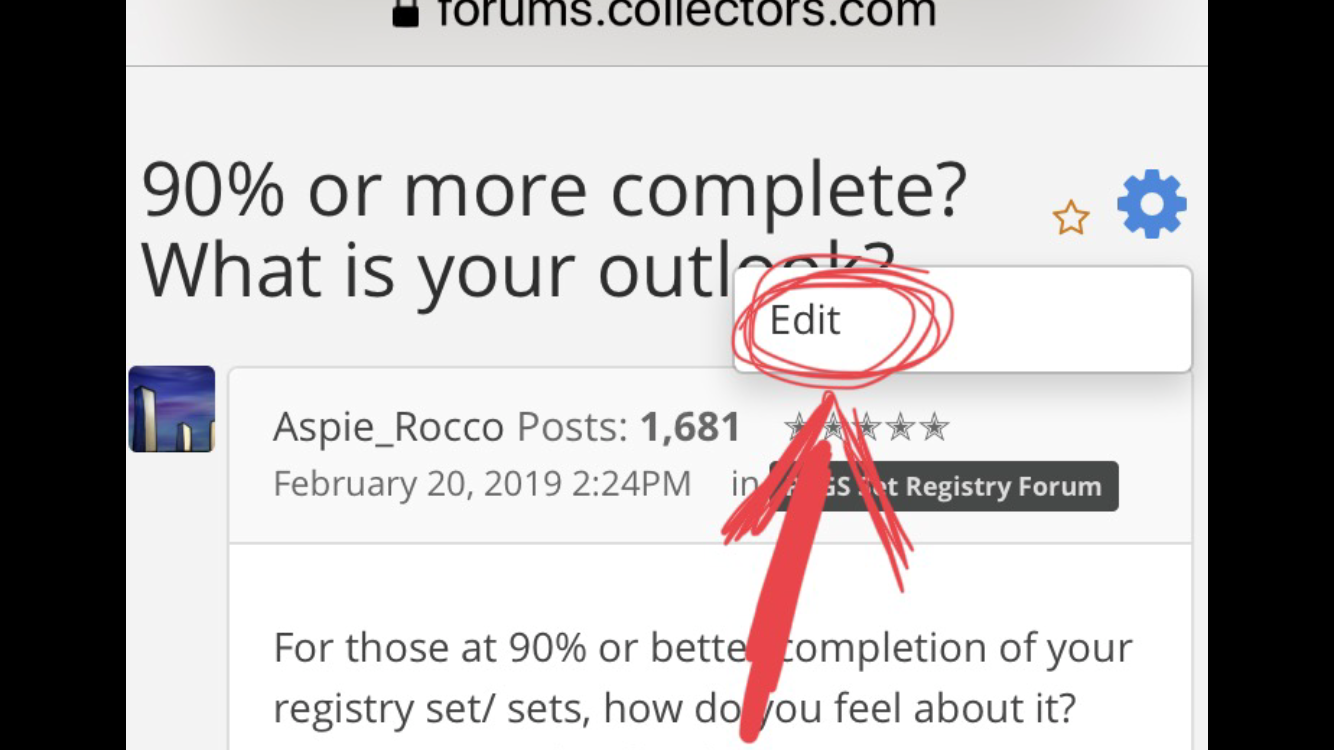
Select EDIT.
Make changes to TITLE or BODY.
Click SAVE to finish.
Or PREVIEW to check your work. 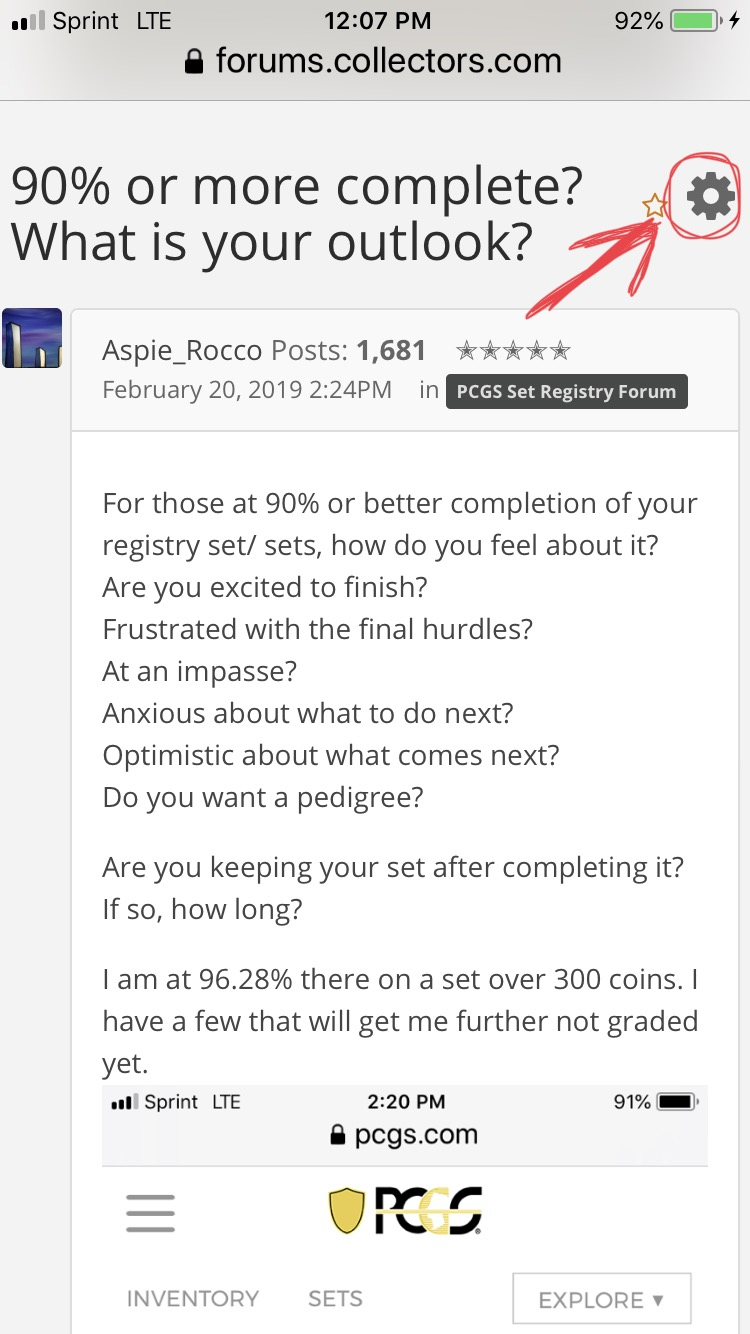
2
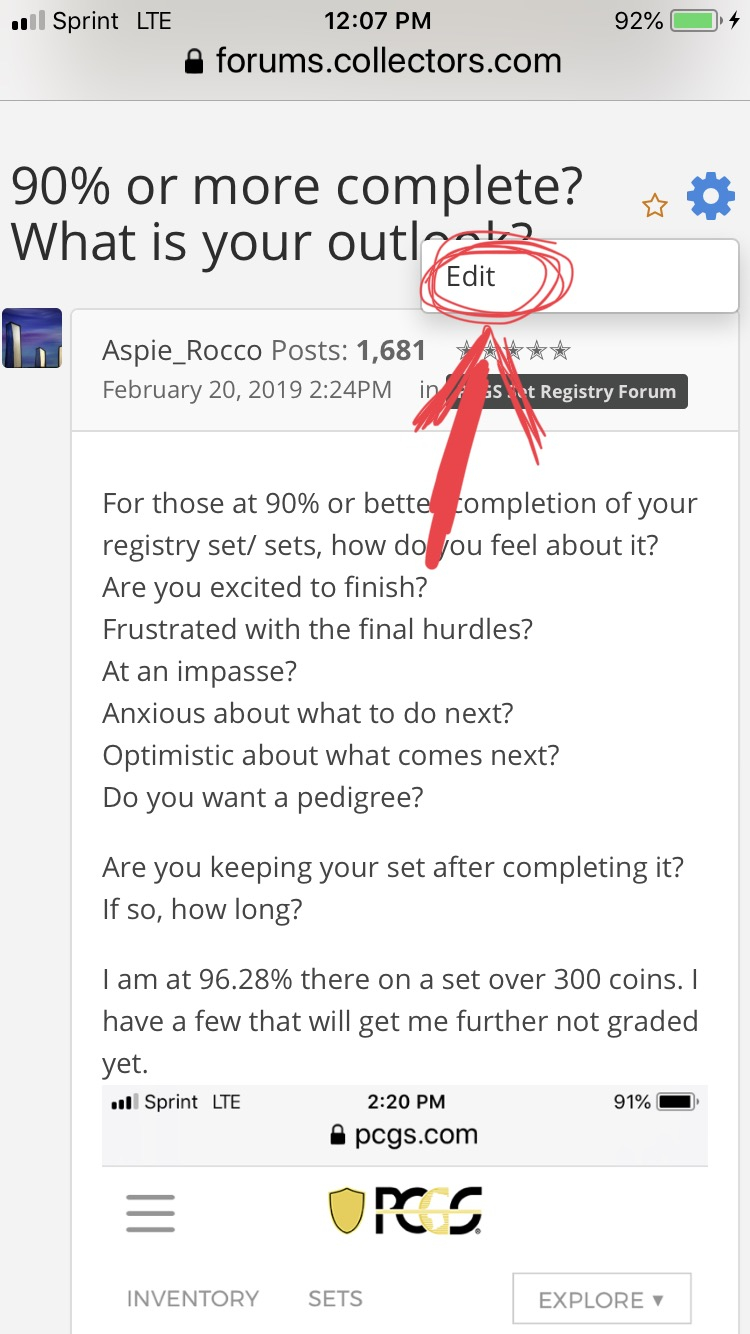
3
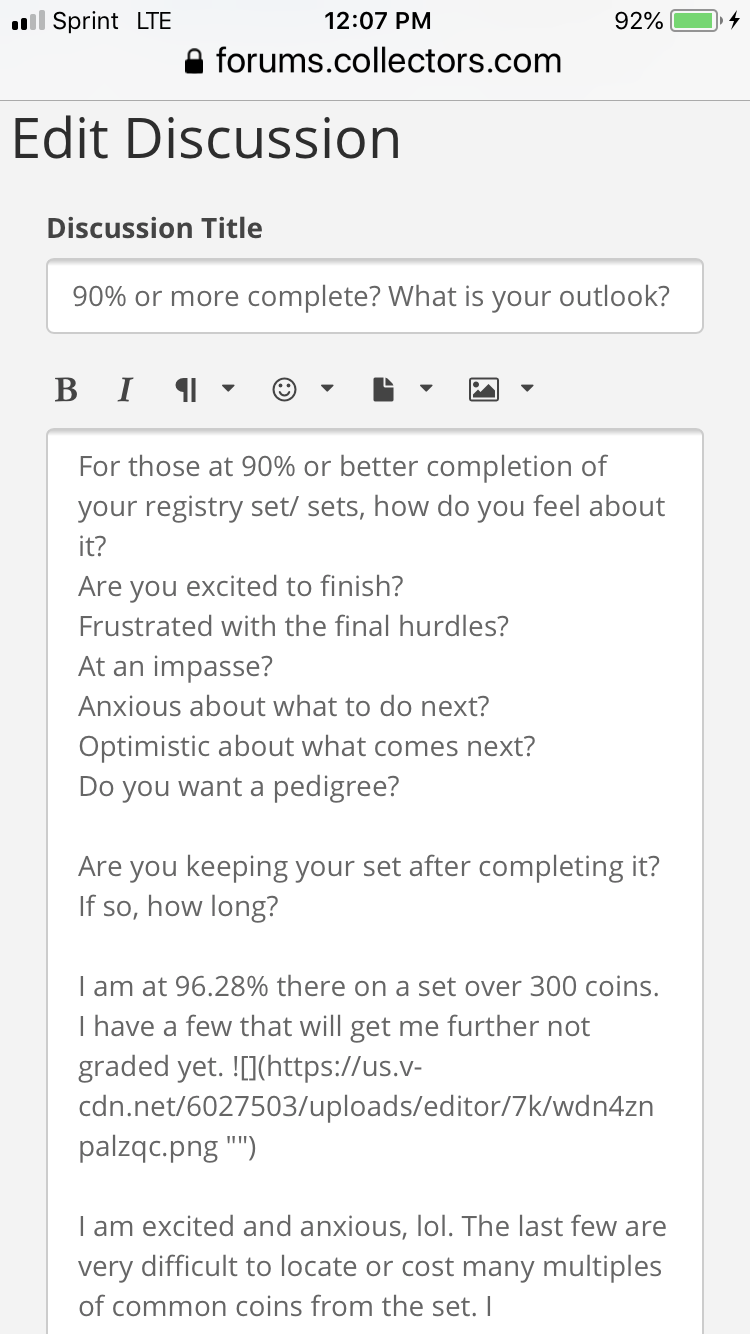
4
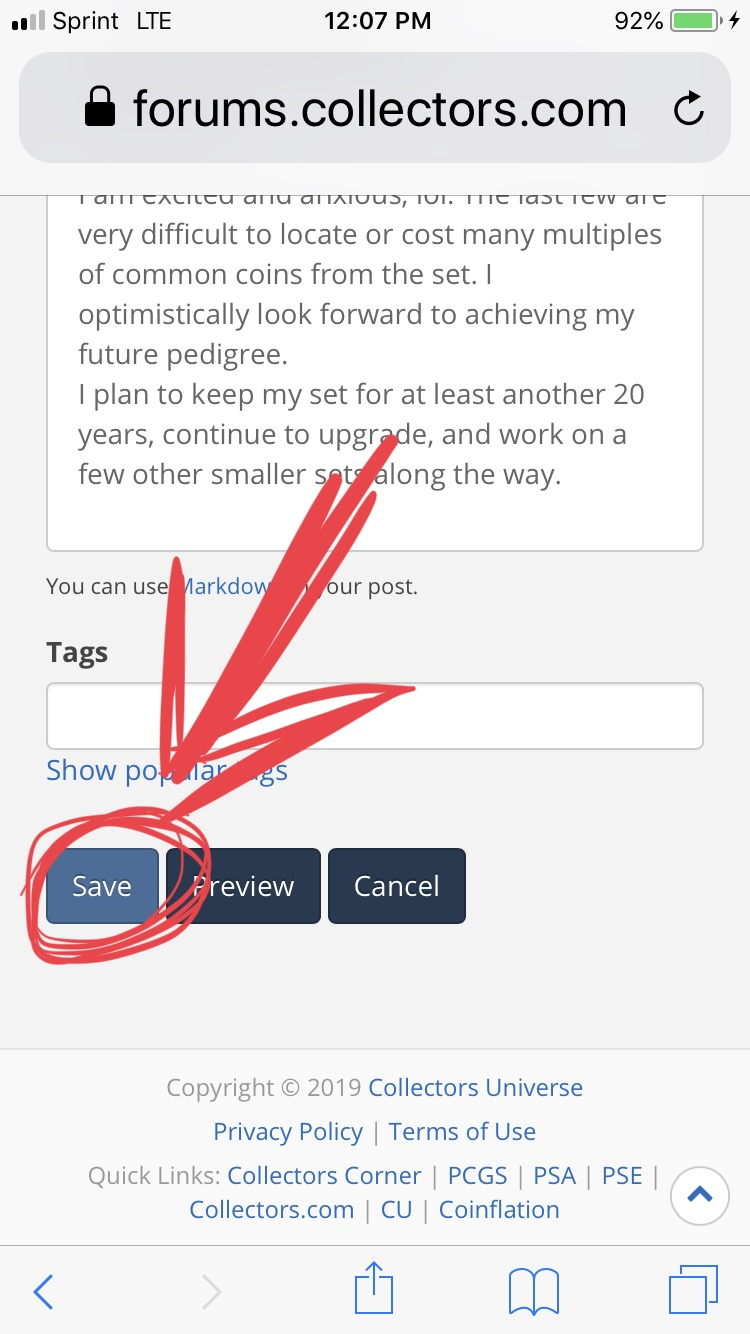
And there you have it. We can easily update info, repair words like nickles, roacks, and alter other oops’
EDITED for punctuation.
1
Comments
Now --- show them how to crop out the background rug, hand, cat or other extraneous stuff so we can see the coin, not the owner's toenails.
Great post @Aspie_Rocco this is much needed!
You are assuming, of course, that they first, are able to recognize their mistakes, and second care enough to correct them.
English is a difficult language, but it can be understood through tough thorough thought though.