LordM's Avatar Workshop (need help with a new avatar?)

Any new members or folks who lost their avatars want new custom ones?
I'm not the Photoshop jock some people here are, but even with my primitive software I can do a pretty good job of cropping and resizing images. (Note new sigline collage with my Box of 20 coins.)
So far the "curtain" has remained open for new icon uploads.
The new ones can be slightly larger; instead of the old 100x100 limit (or the really old 50x50 or whatever it was), you may now have an icon that is 120x120 pixels wide and tall. The new one I just uploaded is 111x111, so it's not even the max size. Max filesize is 100 kilobytes.
Got a pet picture or favorite coin you'd like made into a custom avatar? Shoot me a PM or post the source image you want to use here, and I'm happy to help. You may also email images to me as attachments, if necessary, but PM me first.
PS- if it is a coin picture, be sure and let me know your choice of background color and whether or not you want a border or text or any such. Update: I can also match the background color to the forum page to give coin pictures a "borderless" appearance. See discussion and images below.
Collector since 1976. On the CU forums here since 2001.
Comments
-
PM sent.
 0
0 -
.
i had all the avatars (a snapshot anyway) on my server via compressed zip. i dont see it now, so i will check my backup and get back with you.
. <--- look what's behind the mask! - cool link 1/NO ~ 2/NNP ~ 3/NNC ~ 4/CF ~ 5/PG ~ 6/Cert ~ 7/NGC 7a/NGC pop~ 8/NGCF ~ 9/HA archives ~ 10/PM ~ 11/NM ~ 12/ANACS cert ~ 13/ANACS pop - report fakes 1/ACEF ~ report fakes/thefts 1/NCIS - Numi-Classes SS ~ Bass ~ Transcribed Docs NNP - clashed coins - error training - V V mm styles -0
 -
MidLifeCrisis- here you go!
If you would like a different colored background or a border or anything, let me know. I think the white looks fine, though. One thing I haven't yet learned how to do is transparent-background GIFs or animations. You'd need someone more savvy for that.
But if you like the first draft, just save to your computer, upload via your profile page, and you should be ready to go. If anyone doesn't know how to do that, I can do a screenshot tutorial, I guess.
Collector since 1976. On the CU forums here since 2001.
0 -
Let me leave mine here temporarily while I try MidLifeCrisis' on for a second to be sure it works...

And here's an alternate I made myself for when I'm in a more whimsical mood.
OK, MidLifeCrisis. You're good to go. Your avatar works. I just put it on and tried it.
It looks like you can't select the version I uploaded, though- the drop-down menu just gives the stock avatars. You'll have to save the picture to your computer and upload it yourself, it seems.
Collector since 1976. On the CU forums here since 2001.
0 -
.
looks like i have deleted the file.
for someone hard-up for a previous avatar, you can try waybackmachine.
otherwise, ty lord for your technical expertise and generosity.
. <--- look what's behind the mask! - cool link 1/NO ~ 2/NNP ~ 3/NNC ~ 4/CF ~ 5/PG ~ 6/Cert ~ 7/NGC 7a/NGC pop~ 8/NGCF ~ 9/HA archives ~ 10/PM ~ 11/NM ~ 12/ANACS cert ~ 13/ANACS pop - report fakes 1/ACEF ~ report fakes/thefts 1/NCIS - Numi-Classes SS ~ Bass ~ Transcribed Docs NNP - clashed coins - error training - V V mm styles -0 -
Thanks Lord M!0
-
-
Originally posted by: MidLifeCrisis
Thanks Lord M!
Looks great on you! The old vagabond rat was fine, but this one is numismatic, and classy. Collector since 1976. On the CU forums here since 2001.
0 -
Originally posted by: lordmarcovanOriginally posted by: MidLifeCrisis
Thanks Lord M!
Looks great on you! The old vagabond rat was fine, but this one is numismatic, and classy.
I agree. 0 -
You've inspired me. I've now modified mine just a bit.......0
-
I want my mushroom back!!!!!!!!!!!!!
DPOTD-3
'Emancipate yourselves from mental slavery'
CU #3245 B.N.A. #428
Don0 -
Originally posted by: ajaan
I want my mushroom back!!!!!!!!!!!!!
Don- gimme the 'shroom pic you wanna use, unless you want me to find you a groovy psychedelic one like you used to have one time?
You also need to clean up the symbols in your sigline. Now instead of HTML, you use the same IMG and link codes you would on a regular message post, I think. (So no caret symbols- it wouldn't even let me type one in here to demonstrate. But you're a math teacher, right? So you know what a caret symbol is. At least I think that's what they're called.)
Update: Here's one I just made for you. I chose this 'cause it kind of looks like the art on old German notgeld currency. I think it's classy. If you like it, save it and upload it via your profile.
It is from a painting by Russian artist Ivan Bilibin (1876-1942). This is the source image.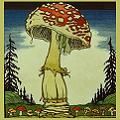
It is in the public domain, so unless some old Russian ghost starts haunting you, nobody should complain about your using it.
But if you want something else, just lemme know.Collector since 1976. On the CU forums here since 2001.
0 -
mine looks like garbage. i am not the best with photos. if it was cleaned up it would look much betterPositive BST Deals as a seller : Wondercoin, Chumlee, Jerster, Perry Hall , DMarks, MWK, drewsef, SoCalBigMark, Lakesammman, Nurmaler0
-
Originally posted by: Booger9989
mine looks like garbage. i am not the best with photos. if it was cleaned up it would look much better
What IS that?
Some smashed-up error coin?
I can trim out the 2x2 and give it a colored background, but it's still gonna look like a booger no matter what, I'm afraid.
But considering your username, that might work, eh?
Update- I tried, but I really need a better source image to work from. It's a Statehood quarter error, isn't it? I recognize Washington's sideways head now.
That, while I'm sure it's a very cool error coin, is probably not the ideal subject for an avatar, simply because by the time the image is shrunken down, you lose too much of what little detail the original picture had.
But if you're stuck on that and want me to clean it up, just get me a bigger source image to work from if you can.
In the meantime, here's a draft for you, rotated to put George's head right-side up. It looks like part of one edge is missing from the source image, though?
Anyway, see if this works any better. You can have any color background you like. I went with a light blue for contrast.
Better yet, try this one. I think the background should match the default forum background color, and blend, hopefully, giving you a "borderless" image, if all goes right.
Collector since 1976. On the CU forums here since 2001.
0 -
I made mine on day 1 of the new software so that I don't have a box around my coin."If it's not fun, it's not worth it." - KeyMan64
Not really looking for much these days but if I were, it might be a toner. 0
0 -
Originally posted by: keyman64
I made mine on day 1 of the new software so that I don't have a box around my coin.
Did you do a transparent background, or just match the blue?
I could've tried that with MidLifeCrisis' icon above, but he was OK with the white, and since that was the original background color of his image, it was easier that way.
I suppose I could still do that with Booger's smashed quarter.Collector since 1976. On the CU forums here since 2001.
0 -
Originally posted by: lordmarcovanThe only way you can use a transparent background and have it be anOriginally posted by: keyman64
I made mine on day 1 of the new software so that I don't have a box around my coin.
Did you do a transparent background, or just match the blue?
I could've tried that with MidLifeCrisis' icon above, but he was OK with the white, and since that was the original background color of his image, it was easier that way.
I suppose I could still do that with Booger's smashed quarter.
image that will work on the web is if you use a gif (which will be
of lower quality typically if you are using a coin) or use a png file
which I was not sure if the website upload would support....so I just
took the easy route and made a jpg and took a sample of the color
which is approximately #e0ecf8.
"If it's not fun, it's not worth it." - KeyMan64
Not really looking for much these days but if I were, it might be a toner.0 -
My first avatar change in nearly 5 years. Not sure if my gonna settle on it yet.0
-
Originally posted by: Jinx86
My first avatar change in nearly 5 years. Not sure if my gonna settle on it yet.
I hope not. No offense, but I think it's too political and divisive, and I'd say that even if I agreed with that particular political statement, which I do not.
Besides, it'll be obsolete in about a year, anyway.
Collector since 1976. On the CU forums here since 2001.
0 -
Originally posted by: keyman64Originally posted by: lordmarcovanThe only way you can use a transparent background and have it be anOriginally posted by: keyman64
I made mine on day 1 of the new software so that I don't have a box around my coin.
Did you do a transparent background, or just match the blue?
I could've tried that with MidLifeCrisis' icon above, but he was OK with the white, and since that was the original background color of his image, it was easier that way.
I suppose I could still do that with Booger's smashed quarter.
image that will work on the web is if you use a gif (which will be
of lower quality typically if you are using a coin) or use a png file
which I was not sure if the website upload would support....so I just
took the easy route and made a jpg and took a sample of the color
which is approximately #dfe9f5.
Thank you for that tip keyman64
In your case #dfe9f5 picks up the toning of your wheat cent.
I think I'll drive mine around for awhile and see if it I like it better without the black background.
edit to say I just can't get that color right
"Inspiration exists, but it has to find you working" Pablo Picasso
0 -
Try using color code #e0ecf8 instead.
I can't recall what I used exactly but I just took a new color sample from the
website that might be better than what you used since the one you used and
what I suggested in the thread does not seem to be a close enough match. "If it's not fun, it's not worth it." - KeyMan64
Not really looking for much these days but if I were, it might be a toner.0 -
I don't know how to use those color numbers you just mentioned. I would have just done a screenshot of the forum page, pasted that into my photo editing program (I use plain old MS Paint and MGI Photosuite SE, the latter of which is an ancient but adequate Win95 program I've kept because it's familiar to me), then used the eyedropper tool to select that background color.
Collector since 1976. On the CU forums here since 2001.
0 -
Try using color code #e0ecf8 instead.
Right on keyman!
I owe you a beer.
"Inspiration exists, but it has to find you working" Pablo Picasso
0 -
Originally posted by: lordmarcovan
I don't know how to use those color numbers you just mentioned. I would have just done a screenshot of the forum page, pasted that into my photo editing program (I use plain old MS Paint and MGI Photosuite SE, the latter of which is an ancient but adequate Win95 program I've kept because it's familiar to me), then used the eyedropper tool to select that background color.
When you go into MS Paint, you can specify a color by RGB numbers.
#e0ecf8 translates into Red 224 Green 236 Blue 248.
You can specify those in MS Paint by going to Edit Colors, Define Custom
Colors and then typing those numbers into the RGB boxes.
Sorry for not including them initially. When I took my color sample I
took it with a 31px x 31px area average. It should work well."If it's not fun, it's not worth it." - KeyMan64
Not really looking for much these days but if I were, it might be a toner.0 -
Originally posted by: keyman64
When you go into MS Paint, you can specify a color by RGB numbers.
#e0ecf8 translates into Red 224 Green 236 Blue 248.
You can specify those in MS Paint by going to Edit Colors, Define Custom
Colors and then typing those numbers into the RGB boxes.
Sorry for not including them initially. When I took my color sample I
took it with a 31px x 31px area average. It should work well.
Thanks.
I took Booger's smashed quarter and tried the eyedropper tool.
It gave me Red 223, Green 237, and Blue 248.
Close, but maybe a little light.
I'll try your numbers.Collector since 1976. On the CU forums here since 2001.
0 -
Thanks for the a) heads up on the icon upload ability, b) on the background color...just updated mine 0
-

Collector since 1976. On the CU forums here since 2001.
0 -
Yup, one digit difference on two of the numbers will not be significant
enough for our eyeballs to notice on most monitors.
The best way would be to view the source code of the
CSS for the website but I was too lazy to do that.
Maybe another day.
"If it's not fun, it's not worth it." - KeyMan64
Not really looking for much these days but if I were, it might be a toner.0 -
Here is Version 2 of MidLifeCrisis' icon, with the background blue for the "borderless" look, hopefully.

Collector since 1976. On the CU forums here since 2001.
0 -
Excellent! Thanks LordM and keyman64!0
-
Whats funny is that all your icons have boxes arount them as I use the green theme as it is easier on my eyes when looking at the screen for a long time.0
-
Originally posted by: Christos
Whats funny is that all your icons have boxes arount them as I use the green theme as it is easier on my eyes when looking at the screen for a long time.
I just fixed mine. I am now using a .png file that has a transparent
background. This is of my 1951 PR 1c. So now it won't matter if you
are using a pink, green, rainbow or blue background. Done!
Just use .png with transparent background.
"If it's not fun, it's not worth it." - KeyMan64
Not really looking for much these days but if I were, it might be a toner.0 -
Originally posted by: Christos
Whats funny is that all your icons have boxes arount them as I use the green theme as it is easier on my eyes when looking at the screen for a long time.
Where is the green theme? I used that myself on the old software (green's my favorite color), but so far I've been unable to find the customization settings to tweak it here.
So yeah. If somebody is using a different forum customized color setting, those backgrounds won't blend, obviously, and your coin will be in a blue box. But that ain't so bad. The default light blue background looks fine even if it differs from the page color.
I'm gonna go green myself, when I can find the switches to flip. Already looked twice. Thanks, Christos.Collector since 1976. On the CU forums here since 2001.
0 -
Originally posted by: keyman64Originally posted by: Christos
Whats funny is that all your icons have boxes arount them as I use the green theme as it is easier on my eyes when looking at the screen for a long time.
I just fixed mine. I am now using a .png file that has a transparent
background. This is of my 1951 PR 1c. So now it won't matter if you
are using a pink, green, rainbow or blue background. Done!
Just use .png with transparent background.
That's probably the way to go. I still don't know how to do it, though, and have an older version of Paint that won't save in PNG format.
Paint on the computer I use at work can do PNGs, though, and many of my Box of 20 images are now PNG.
So maybe you're the go-to guy for borderless images, Keyman, until I climb the transparent background learning curve...Collector since 1976. On the CU forums here since 2001.
0 -
Is it the Green Grass option under color schemes under personal options in the profile tab?0
-
keyman64 created a transparent background for me and I've tried it with several color schemes. I'm currently using the Green Grass scheme.
It works great!
Thanks keyman64!0 -
Originally posted by: MidLifeCrisis
Is it the Green Grass option under color schemes under personal options in the profile tab?
Dang! There it is! Thanks. I've been looking for that stupid setting for two days now. Must've glanced right over it.
So I've gone Green now. Ahh... much better. Kermit the Frog gave a thumbs-up, too.
In the Green custom setting, the field behind the avatars looks almost white- only the top borders are actually green.
So now that I've gone Green, Keyman's cent with the transparent background is still borderless and "hovering", while anything with that default blue background is in a box again... but only barely. That blue is subtle enough that it almost blends with the whitish background the Green custom setting puts behind the avatars.
Collector since 1976. On the CU forums here since 2001.
0 -
Thank you LordM for the information on the new icon size of 120 pixels.
I uploaded a bigger "Big Max". https://www.brianrxm.com
The Mysterious Egyptian Magic Coin
Coins in Movies
Coins on Television0 -
Max Thrax to the max!
Collector since 1976. On the CU forums here since 2001.
0 -
I have had mine for 15 years... and very happy with it... Cheers, RickO0
-
Yes, Ricko, a tiny avatar can certainly be a badge of the Old School around here.
I see you're senior to me by a few months.Collector since 1976. On the CU forums here since 2001.
0 -
I now have a problem, I'm getting an error when I upload my icon...
Anyone else having this? No matter what I upload, even the same icon I had, I get the error.
Any help would be appreciated.
PS. Plus just noticed the time is wrong, even though in my profile I have it set to Eastern Time zone (GMT-5), it shows GMT time on the message board for me.
PPS. Even if I select one of the drop down avatars, I get the same error...so something broke all around (have tried every browser, same error).0 -
Originally posted by: mercurydimeguy
I now have a problem, I'm getting an error when I upload my icon...
Anyone else having this? No matter what I upload, even the same icon I had, I get the error.
Any help would be appreciated.
PS. Plus just noticed the time is wrong, even though in my profile I have it set to Eastern Time zone (GMT-5), it shows GMT time on the message board for me.
PPS. Even if I select one of the drop down avatars, I get the same error...so something broke all around (have tried every browser, same error).
Ooh. I was gonna make the blatantly obvious suggestion that you check your filesize and image dimensions and such, but if it's happening with the stock avatars, I dunno.
FWIW, I too have a wacky time displaying, despite my Eastern Time setting.
Collector since 1976. On the CU forums here since 2001.
0 -
An avatar for brand new lurker-turned Darksider "jdmern".
He didn't ask for it, but being new, I figured he might like a custom avatar of the coin he posted on his first thread.
Source image is a TrueView.
New to the forums he may be, but new to coins he obviously is not.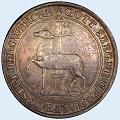
Collector since 1976. On the CU forums here since 2001.
0 -
Any idea how I can fix my avatar? Have you tried to upload a different one or change to one of the standard ones? I get an Error 113 every time I try...
Now when I try to embed an image in the post, it doesn't show up either...it adds stuff to the [ IMG ] ... [ /IMG ] string...
what is going on? see below... but I am posting this as I have in the last 10 years....nothing changed.https://dl.dropboxusercontent....109040798/error113.jpg">
0 -
Originally posted by: CoinZip
I think its awesome that your offering to help .... 0
0





Leave a Comment
Categories
- All Categories
- 520.1K Coins and Currency - PCGS
- 328.6K U.S. Coin Forum
- 14.8K PCGS Set Registry Forum
- 5.2K Q & A Forum
- 41.4K World & Ancient Coins Forum
- 3K U.S. & World Currency Forum
- 96.4K Buy, Sell, & Trade - U.S. Coins
- 7.3K Buy, Sell & Trade - World & Ancient Coins
- 1.5K Buy, Sell & Trade - Currency
- 61 Random
- 246.2K Trading Cards, Autographs and Memorabilia - PSA
- 90.3K Trading Cards & Memorabilia Forum
- 1.7K Autographs Forum
- 16.4K PSA Set Registry Forum
- 22K Sports Talk
- 115K Buy, Sell & Trade - Cards & Memorabilia
- 663 Buy, Sell & Trade - Autographs
- 2.2K Stamps
- 1.5K Stamps Forum
- 670 Buy, Sell & Trade - Stamps
- 83 Coin Shows
- 83 General Coin Show Information and Discussion
- 11.9K Misc
- 11.9K Testing Forum