Saving ebay pictures
Options

anoldgoat
Posts: 1,493 ✭✭✭
Need help here.
When i win a coin on ebay I save the ebay picture for my records. I can't seem to take decent pictures myself. Now I can no longer do this since their format change to a while back. When right clicking the picture i don't get the Save Image option in the popup window.
Anybody know a way around this? In know getting the right equipment and learning to use it is the best way to go but it was just so easy copying something that was already there.
Thanks,
Mike
When i win a coin on ebay I save the ebay picture for my records. I can't seem to take decent pictures myself. Now I can no longer do this since their format change to a while back. When right clicking the picture i don't get the Save Image option in the popup window.
Anybody know a way around this? In know getting the right equipment and learning to use it is the best way to go but it was just so easy copying something that was already there.
Thanks,
Mike
Alright! Who removed the cork from my lunch?
W.C. Fields
W.C. Fields
0
Comments
-
Alt+PrintScreen copies the contents of your current window to your clipboard, then you can paste it into MSPaint and save as a new file.John
Keeper of the VAM Catalog • Professional Coin Imaging • Prime Number Set • World Coins in Early America • British Trade Dollars • Variety Attribution0 -
If all else fails you can do a "print scrn" (hold the Fn key and press the print scrn key) then paste it into a file. Be sure you maximize the screen first so the image is as big as possible.
You can open a file with paint then paste the screen shot there (by pressing Ctrl and the V key) and crop the rest of the screen. It might reduce the resolution compared to the original but it will work.
Some ebayers will get mad if you re-use their image so it's best to ask.
Ed0 -
Thanks for the input. I'll try the print screen. I like to keep the images for my records.
MikeAlright! Who removed the cork from my lunch?
W.C. Fields0 -
When I right click the picture I get the Save Image option.0
-
There is generally another way or two, and the pics get saved better.
Can you give me a link to one in question and I will see if it works?I've been told I tolerate fools poorly...that may explain things if I have a problem with you. Current ebay items - Nothing at the moment
0 -
Alright! Who removed the cork from my lunch?
W.C. Fields0 -
I just right clicked a picture from the listing page and it allowed me to save the picture to my desktop. Try again.
Government is the great fiction through which everybody endeavors to live at the expense of everybody else. - Bastiat
0 -
If you're using Firefox, right click on the page that opens that shows the pictures of the coins, and click "View Page Info", then in the Media section, find the image, and click "Save As".


To save the reverse images, click on the pic to let it load, then do those two steps again.0 -
BoggledMind, I like this better. I save only the image and not the whole page. I did found that I need to select the image before enlarging it.
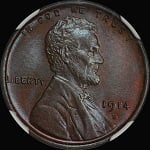
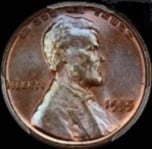
By the way, what do you all think of my latest pick up.
Thanks,
MikeAlright! Who removed the cork from my lunch?
W.C. Fields0 -
<< <i>BoggledMind, I like this better. I save only the image and not the whole page. I did found that I need to select the image before enlarging it.
By the way, what do you all think of my latest pick up.
Thanks,
Mike >>
Yep....that is why I wanted to see the auction...bogglemind got back to the post before I did but the instructions are basically the same in IE.....right click when over the picture, choose the SAVE PICTURE, and there you have it. Voila!
Make sure to choose the "enlarge" option so you can save the larger one before right clicking.
I've been told I tolerate fools poorly...that may explain things if I have a problem with you. Current ebay items - Nothing at the moment
0 -
Thanks Mike for starting the thread, and everyone else who posted a solution to this problem... it helped me too!0
-
For Macs its shift command 4 for screen save. Guess no one else has a Mac?0
-
<< <i>If you're using Firefox, right click on the page that opens that shows the pictures of the coins, and click "View Page Info", then in the Media section, find the image, and click "Save As".
To save the reverse images, click on the pic to let it load, then do those two steps again. >>
Thanks I too like to save the photos of winnings, This is by far the easiest of the above.Positive BST transactions: agentjim007, cohodk, CharlieC, Chrischampeon, DRG, 3 x delistamps, djdilliodon, gmherps13, jmski52, Meltdown, Mesquite, 2 x nibanny, themaster, 2 x segoja, Timbuk3, ve3rules, jom, Blackhawk, hchcoin, Relaxn, pitboss, blu62vette, Jfoot13, Jinx86, jfoot13,Ronb
Successful Trades: Swampboy,0 -
You can also click and drag the photo (enlarged version preferably) onto a blank Word page.0
-
<< <i>When I right click the picture I get the Save Image option. >>
Yes. I have found that if you use Internet Explorer that you can get the save image option whereas you can't with FireFox. Don't know about Opera. Don't think it works for Google Chrome either.theknowitalltroll;0 -
Capture image program works great as wellSuccessful BST transactions with Rob41281, crazyhounddog, Commoncents, CarlWohlford, blu62vette, Manofcoins, Monstarcoins, coinlietenant, iconbuster, RWW,Nolawyer, NewParadigm, Flatwoods, papabear, Yellowkid, Ankur, Pccoins, tlake22, drddm, Connecticoin, Cladiator, lkeigwin, pursuitofliberty0





Leave a Comment
Categories
- All Categories
- 520K Coins and Currency - PCGS
- 328.5K U.S. Coin Forum
- 14.8K PCGS Set Registry Forum
- 5.2K Q & A Forum
- 41.4K World & Ancient Coins Forum
- 3K U.S. & World Currency Forum
- 96.4K Buy, Sell, & Trade - U.S. Coins
- 7.3K Buy, Sell & Trade - World & Ancient Coins
- 1.5K Buy, Sell & Trade - Currency
- 60 Random
- 246.2K Trading Cards, Autographs and Memorabilia - PSA
- 90.3K Trading Cards & Memorabilia Forum
- 1.7K Autographs Forum
- 16.4K PSA Set Registry Forum
- 22K Sports Talk
- 115K Buy, Sell & Trade - Cards & Memorabilia
- 663 Buy, Sell & Trade - Autographs
- 2.2K Stamps
- 1.5K Stamps Forum
- 670 Buy, Sell & Trade - Stamps
- 83 Coin Shows
- 83 General Coin Show Information and Discussion
- 11.9K Misc
- 11.9K Testing Forum